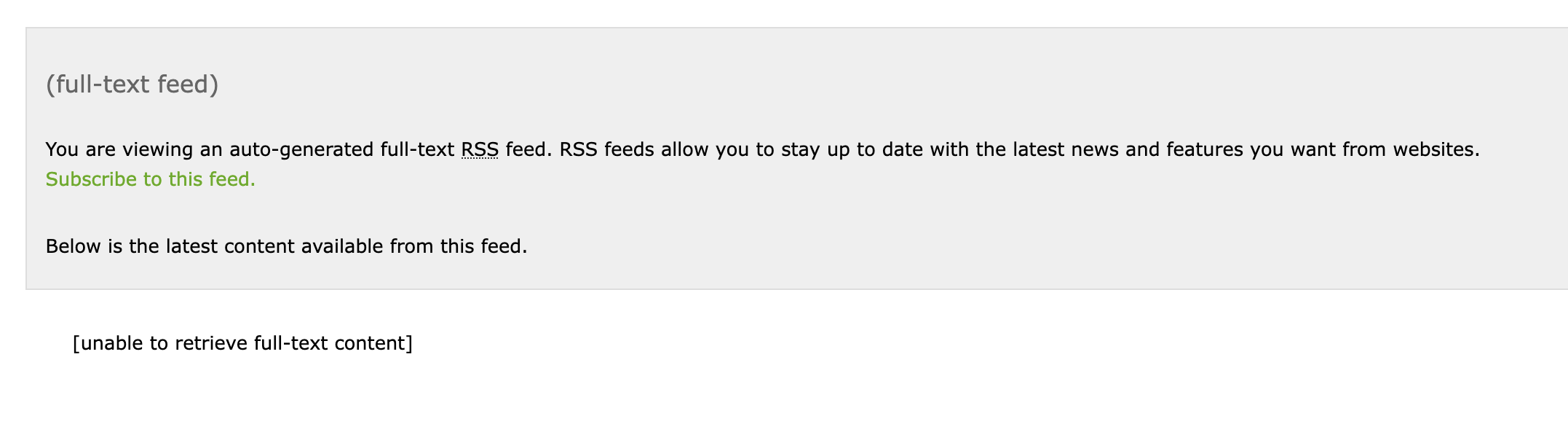
When I try to add Boing Boing https://boingboing.net to RFT FTR, I’m getting an error:
### This page contains the following errors:

error on line 2 at column 1: Extra content at the end of the document

### Below is a rendering of the page up to the first error.
I suspect this is a problem with the siteconfig for boing boing, but I have no idea how I should fix it. When I try to load it into the point and click extractor, it won’t load the URL at all.
Any suggestions?
Hello @blinkingline, welcome at FiveFilters forum!
‘RFT’? Or did you mean FTR for Fulltext-RSS?
The html structure on BoingBoing has changed some time ago, so our existing config for this domain doesn’t work.
Main problem was the single_page_link-line which doesn’t match any longer to any useful content.
I fixed that config just now. If you are a self-hoster, please go to /admin/update.php and click the update button. For ftr.fivefilters.net you have to wait for the next full hour until the new config takes effect.
If you have further issues, please send a direct link to the articles you try to get, not only the domain.
1 Like
That worked perfectly, Thanks so much!
2 Likes
I just noticed this morning I am no longer getting a full extraction from Boing Boing. Using self-hosted Full-Text RSS 3.9.13
If I look at this article: https://boingboing.net/2025/12/28/famed-actress-brigitte-bardot-dead-at-91.html
In my feed I get the [unable to retrieve full-text content] message and the content stops after the second paragraph and is truncated with a “Read the Rest” link:
I’m guessing I’m missing a class or something but I’m not sure which one it is from looking at the source.
I do have no problems with that link on my self-hosted FTR 3.9.13, @blinkingline. Maybe there was a temporarily problem on boingboing?
The “Read the rest” link is from the original feed. If fetching full text fails, the original <description> from feed will be used for FTR’s output feed
Could you please test your direct article-link directly with FTR? If you get an error, activate the log and post it.
Hrm, I’m still getting the error .
If I do the single link as the feed, this is all I see:
Here’s the debug output, but it doesn’t look like there’s any error there?
* APC is disabled or not available on server
* Supplied URL: https://boingboing.net/2025/12/29/in-case-you-missed-it-sony-just-patented-ai-generated-tutorials.html
* ** Loading class HumbleHttpAgent (humble-http-agent/HumbleHttpAgent.php)
* ** Loading class ContentExtractor (content-extractor/ContentExtractor.php)
* ** Loading class SiteConfig (content-extractor/SiteConfig.php)
* --------
* Attempting to process URL as feed
* ** Loading class SimplePie_HumbleHttpAgent (humble-http-agent/SimplePie_HumbleHttpAgent.php)
* ** Loading class DisableSimplePieSanitize (DisableSimplePieSanitize.php)
* Fetching URL (https://boingboing.net/2025/12/29/in-case-you-missed-it-sony-just-patented-ai-generated-tutorials.html)
* Starting parallel fetch (curl_multi_*)
* Processing set of 1
* ...https://boingboing.net/2025/12/29/in-case-you-missed-it-sony-just-patented-ai-generated-tutorials.html
* ......adding to pool
* . looking for site config for boingboing.net in custom folder
* . looking for site config for boingboing.net in standard folder
* ... found site config in standard folder (boingboing.net.txt)
* Cached site config with key boingboing.net
* Cached site config with key boingboing.net.merged
* Checking fingerprints...
* No fingerprint matches
* . looking for site config for global in custom folder
* . looking for site config for global in standard folder
* ... found site config in standard folder (global.txt)
* Cached site config with key global
* Cached site config with key global.merged.ex
* Appending site config settings from global.txt
* ......user-agent set to: PHP/7.4
* ......referer set to: http://www.google.co.uk/url?sa=t&source=web&cd=1
* Sending request...
* Received responses
* ... site config for boingboing.net.merged already loaded in this request
* Checking fingerprints...
* No fingerprint matches
* ... site config for global.merged.ex already loaded in this request
* Appending site config settings from global.txt
* --------
* Constructing a single-item feed from URL
* ** Loading class FeedWriter (feedwriter/FeedWriter.php)
* --------
* Fetching feed items
* Starting parallel fetch (curl_multi_*)
* Processing set of 1
* ...https://boingboing.net/2025/12/29/in-case-you-missed-it-sony-just-patented-ai-generated-tutorials.html
* ......in memory
* --------
* Processing feed item 1
* Item URL: https://boingboing.net/2025/12/29/in-case-you-missed-it-sony-just-patented-ai-generated-tutorials.html
* ** Loading class FeedItem (feedwriter/FeedItem.php)
* URL already fetched - in memory (https://boingboing.net/2025/12/29/in-case-you-missed-it-sony-just-patented-ai-generated-tutorials.html, effective: https://boingboing.net/2025/12/29/in-case-you-missed-it-sony-just-patented-ai-generated-tutorials.html)
* Done!
have you changed anything in the site depended config, @blinkingline?
../site_config/custom/boingboing.net.txt
should not exist, if you not have tried to fix something (make backup and remove it here)
and
../site_config/standard/boingboing.net.txt
should look like here in the repo:
I had tried something with a custom config but deleted it. The standard site config matches what I have on my install.
I have really no idea (I am not a coder), just wild guessing.
please run on a browser your-ftr-domain/ftr_compatibility_test.php
which PHP version? everything eneabled in the table? Anything not enabled in the paragraphs below that table? APC is not needed with only a few users. I have deactivated caching completely
Everything is good there except that I am not running php-tidy. For that it recommends I use the HTML5 parser for “problematic” feeds. Is there a way to force that?
You did not name your PHP version. Versions above 8.1 may also cause problem at the moment.
You should consider to install php-tidy or you might run into more problems on other domains.
I don’t know if the parser directive in boingboing.net.txt is for this, but you can try to add ONE of these:
parser: html5php
parser: html5lib
I’m on PHP 8.4.5, which as you say might be part of the issue. I’ve installed the php-tidy module, but it doesn’t seem to have corrected the issue.
I’ll give a go on the parser route and see if anything improves.
Addding the parser variable to a custom site config produces the same result unfortunately.
I’m not entirely sure, but maybe this will help.
I have several PHP versions installed in parallel and tested setting Apache from 8.1 to 8.4 via fpm-handler. After entering a direct article URL from boingboing, I got a yellow page from FTR with a PHP error message. However, this only happened once; after pressing F5, I got the full article. I had no problems at all with the feed URL.
In some cases, you can avoid this error by not letting FTR try to predict the fields body, title, date, and author. I have therefore now added selectors for title and date. I hope this solves your problems. Anyway, you should really consider to use PHP <=8.1 at the moment. Next FTR version might compatible with higher versions.
Please update your patterns, clear cache and try again.